← Home
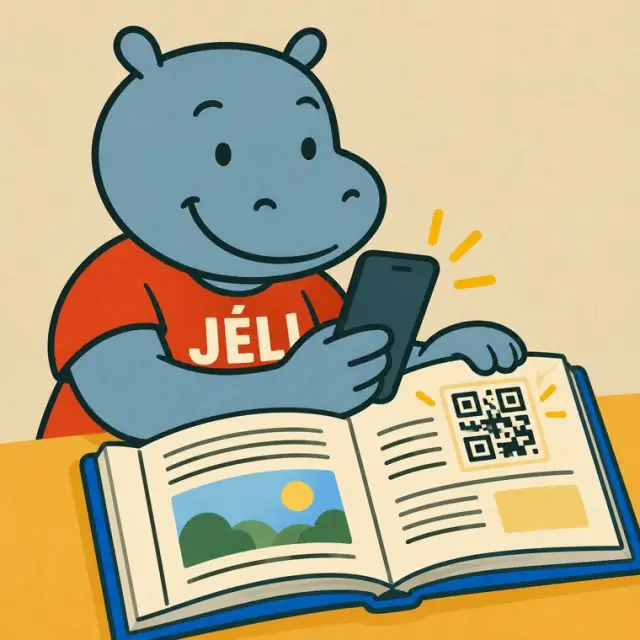
Malini scans the QR code in an open book
Publishing books, articles and theses

Your publications keep on speaking.

Book, article, thesis, dissertation, report, journal… A QR code on the cover, in the chapters or next to a figure opens a JeliCard: the author's voice, readings in national languages, images, links to your data and supplementary documents, and news of your publications.

  • Publishing houses
  • Authors
  • Researchers and PhD students
  • Universities and schools
  • Journals and newspapers
  • Educational publishers
  • Printers
  • Bookshops and libraries

1The problem: a publication frozen once printed

A book, an article or a thesis can no longer change after printing, and the link with the reader ends at the last page.

Fixed contentA mistake or an update has to wait for the next edition.
Readers left outThose who read little French are left on the sidelines.
Absent authorReaders know neither the author's voice nor their approach.
Link lostYou can't tell your readers about new publications.

2What the JeliCard can hold

Swipe to see the examples.

Author

The author's voice

An introduction to the publication and its approach, an audio or video interview.
Reading

Excerpts read aloud

Readings of passages or a summary in French and in national languages.

Chapters

One QR code per chapter or section

Audio summary, maps, photos, videos, links to supplementary documents.

Research

Data and appendices

For an article or a thesis: links to your data, questionnaires and appendices, a video of the defence.

Updates

Errata and additions

Corrections and new information without reprinting.

Catalogue

Your other publications

New releases, where to buy, talks, meet-the-author events and book signings.

3What Jèli gives you

An enriched publicationAudio, video, images and links to your data, on top of the printed text.
More readersReadings and summaries in national languages open the publication to new audiences.
Updates without reprintingYou correct or add to the JeliCard; the printed QR code stays the same.
Readers who stay in touchPeople who opened your JeliCards in the Jèli app are notified of your new JeliCards, and so of your new publications.
No app neededReaders scan with their phone's camera.
Free and ad-freeReaders see only your publication.

Your JeliCards travel around the world

A JeliCard is shared in one move: by text message, on social media, by email, on the internet, or simply by scanning the QR code from one phone to another. Your message travels across time and distance, and reaches every audience, here and elsewhere.

  • SMS
  • WhatsApp
  • Social media
  • Email
  • Internet
  • Scan from phone to phone

?What about Instagram, TikTok, WhatsApp?

These tools are excellent, and you probably use them already. Jèli does not replace them: it does a different job.

Instagram and TikTok The networks that help people discover you
Ideal for
showing your news in photos and videos, and reaching new audiences.
Information
lives in a feed: new posts push the old ones down.
Access
mostly needs the app and an account; the algorithm decides who sees what.
Around it
other content and ads are shown too.
WhatsApp The messaging app that gets people talking
Ideal for
everyday conversations, answering questions, running a group.
Information
lives in a conversation: messages pile up and old ones are quickly lost.
Access
means having your number or being in the group.
Around it
are all the person's other conversations.
Jèli The reference page, in the right place
Ideal for
information that must stay available, attached to an object, a poster or a place.
Information
lives on a stable page: always in the same place, always up to date.
Access
takes a simple scan, with no account and no app.
Around it
no ads and no one else's content: only your message and your other JeliCards.

Social media makes your publications known. Jèli is inside the publication itself: readers scan the page they are reading and find the content for that exact chapter, without leaving their reading to look for an account.

It's not one or the other. Put the links to your Instagram, TikTok and WhatsApp accounts in the text of your JeliCard, and share your JeliCard on your networks: each tool does what it does best.

4How to do it

Start with one publication, then the whole collection.

  1. Choose the publication and the content to add.
  2. Record the author's introduction and the excerpts read aloud.
  3. Create the publication's JeliCard and, if needed, one per chapter or section.
  4. Place the QR codes on the front cover, the back cover, the chapters or next to the figures.
  5. Test before printing, on several phones.
  6. Print with the words “Scan to listen”.
  7. Keep the JeliCard alive: talks, errata, new publications.

5Obstacles, and how to get past them

Not everyone has a smartphoneA relative, a seller or a community relay can scan and play it for them. The printed material still makes sense on its own.
Costly data, weak networkShort voice messages, light images, no app to download: the JeliCard opens fast, even with little data.
Few people know QR codesAdd the words “Scan to listen” and show the gesture once: after that, everyone knows how.
Rights to the contentCheck the rights to the texts read aloud, the music and the images you add.
The publication lasts, so the link must lastThe QR code stays valid: you keep control of the content for the whole life of the publication.
Production costStart with the author's introduction and one excerpt read aloud: it's quick and cheap.

Our tips

  • Put a QR code on the back cover: it also helps make the book known and sell it.
  • Have the author read the excerpts or the summary themselves.
  • For a thesis or an article, add an audio summary: the jury, colleagues and the general public grasp the essentials in two minutes.
  • One JeliCard per collection or per research lab lets you present all your publications.
  • Check the rights to the texts read aloud, the data and the music used.
  • Don't forget your business card: your name and a QR code that leads to all your activities.
The publication ends at the last page. The JeliCard keeps the conversation with the author going.
Back to the home page

Make your QR codes talk.

Your first JeliCard is ready in a few minutes.

App Store Google Play