← Home
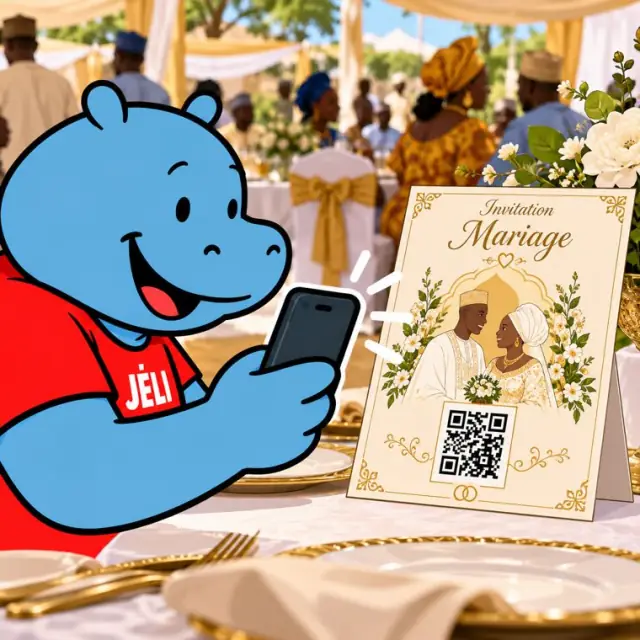
Malini scans the QR code on a wedding invitation
Organising and running an event

One QR code, from the first day to the last.

Wedding, conference, concert, festival, tournament: a QR code on the invitation, the poster or the badge opens a JeliCard that follows every stage, from the announcement to the big day and beyond.

  • Event agencies
  • Associations
  • Weddings and ceremonies
  • Conferences and trade fairs
  • Concerts and festivals
  • Sports competitions
  • Family events
  • Public events

1The problem: information that keeps changing

Between the announcement and the big day, times, venue or programme change. But the invitations and posters are already printed.

A shifting programmeA change of time or room doesn't reach everyone.
Too much informationDirections, programme, menu and accommodation don't fit on the invitation.
Guests from everywhereNot everyone reads the same language.
And afterwards?Photos, thank-yous and the next edition get lost in WhatsApp groups.

2A JeliCard at every stage

Swipe to see the examples.

Before

The announcement

Date, venue, a map image with directions, a link to registration or tickets, a voice invitation.
Preparation

Practical information

Detailed programme, accommodation, transport, dress code, the organisers' contacts.

The big day

The live programme

A change of room or time corrected in a few minutes; people who opened the JeliCard in the Jèli app are notified.

On site

The documents

Presentations, menu, rules, site map: as photos, or as links to open.

After

The memories

Photos, videos, thank-yous and the date of the next edition.

A single JeliCard that moves forward with your event.You fill it in as you go: the announcement first, then the practical information, the programme for the big day, and finally the memories. The printed QR code stays the same from start to finish, and guests who opened it in the Jèli app are notified when you add to it.

3What Jèli gives you

Always up to dateYou edit the JeliCard; the printed QR code stays valid.
Your guests kept informedPeople who opened the JeliCard in the Jèli app get a notification when you edit it.
In every languageA voice welcome message in each guest's language.
No app neededA simple scan with the phone's camera.
Less printingOne invitation or poster is enough, even if the programme changes.
Free and ad-freeYour guests see only your event.

Your JeliCards travel around the world

A JeliCard is shared in one move: by text message, on social media, by email, on the internet, or simply by scanning the QR code from one phone to another. Your message travels across time and distance, and reaches every audience, here and elsewhere.

  • SMS
  • WhatsApp
  • Social media
  • Email
  • Internet
  • Scan from phone to phone

?What about Instagram, TikTok, WhatsApp?

These tools are excellent, and you probably use them already. Jèli does not replace them: it does a different job.

Instagram and TikTok The networks that help people discover you
Ideal for
showing your news in photos and videos, and reaching new audiences.
Information
lives in a feed: new posts push the old ones down.
Access
mostly needs the app and an account; the algorithm decides who sees what.
Around it
other content and ads are shown too.
WhatsApp The messaging app that gets people talking
Ideal for
everyday conversations, answering questions, running a group.
Information
lives in a conversation: messages pile up and old ones are quickly lost.
Access
means having your number or being in the group.
Around it
are all the person's other conversations.
Jèli The reference page, in the right place
Ideal for
information that must stay available, attached to an object, a poster or a place.
Information
lives on a stable page: always in the same place, always up to date.
Access
takes a simple scan, with no account and no app.
Around it
no ads and no one else's content: only your message and your other JeliCards.

Social media builds excitement and WhatsApp keeps the guest group lively. Jèli holds the official information: programme, map, times. Everyone finds it with one scan, even a guest who isn't in the group, and it stays up to date until the big day.

It's not one or the other. Put the links to your Instagram, TikTok and WhatsApp accounts in the text of your JeliCard, and share your JeliCard on your networks: each tool does what it does best.

4How to do it

Create the JeliCard as soon as you announce the event, and keep it alive until the end.

  1. Create the event's JeliCard with the date, venue and a voice message.
  2. Print the QR code on the invitation, the poster, the badge or the ticket.
  3. Invite participants to open the JeliCard in the Jèli app, so they are notified.
  4. Add the programme and practical information as preparations go on.
  5. On the big day update any changes live.
  6. Afterwards add photos, videos and thank-yous.
  7. Reuse the same JeliCard for the next edition.

5Obstacles, and how to get past them

Not everyone has a smartphoneA relative, a seller or a community relay can scan and play it for them. The printed material still makes sense on its own.
Costly data, weak networkShort voice messages, light images, no app to download: the JeliCard opens fast, even with little data.
Few people know QR codesAdd the words “Scan to listen” and show the gesture once: after that, everyone knows how.
Last-minute changesName one person in charge of updates on the big day: people who opened the JeliCard in the Jèli app are notified.
Lots of people at onceThe JeliCard is a simple web page: it opens for everyone, with no queue.
Older guestsHave a few people at the welcome desk to scan and read the programme out loud.

Our tips

  • Add a voice welcome: it sets the tone of the event straight away.
  • Place the QR code at the entrance, on the tables and on the badges.
  • Name one person in charge of updates on the big day.
  • Announce the next edition on the same JeliCard.
  • Don't forget your business card: your name and a QR code that leads to all your activities.
The invitation gives the date. The JeliCard stays with your guests until the very last moment, and beyond.
Back to the home page

Make your QR codes talk.

Your first JeliCard is ready in a few minutes.

App Store Google Play