← Home
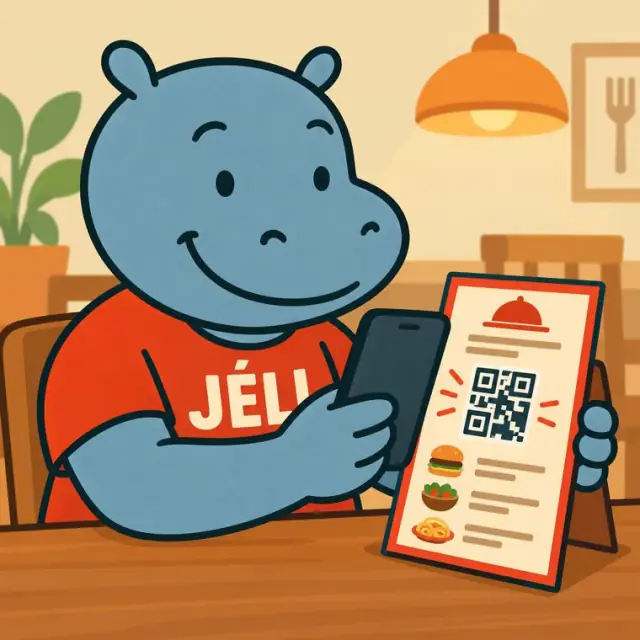
Malini scans the QR code on a restaurant menu
Restaurants and bars

A menu that makes mouths water.

Restaurant, maquis, street-food stall, bar, café, caterer: a QR code on the table, the menu or the window opens a JeliCard that presents your dishes, their ingredients, how they are made and their story.

  • Restaurants
  • Maquis and food stalls
  • Bars and cafés
  • Caterers
  • Food trucks
  • Hotels

1The problem: a menu that doesn't say it all

A dish name and a price aren't much to tempt anyone, especially people discovering your cooking.

Unknown dishesA visitor from abroad or passing through doesn't know what they're going to eat.
AllergiesPeople want to know the ingredients before ordering.
Menu to reprintA price changes, a dish disappears: everything has to be redone.
Hidden know-howThe work in the kitchen and the story of the dishes stay invisible.

2What the JeliCard can hold

Swipe to see the examples.

Menu

The menu and prices

Dishes, drinks, dish of the day, set menus, always up to date.
Ingredients

What's on the plate

Ingredients, allergens, vegetarian dishes, how spicy it is.

Kitchen

How it's made

Photos and videos of the kitchen and of the dish being prepared.

Story

Where the dish comes from

Its origin, its region, its story, told by the chef in a voice message.

Info

Visiting and ordering

Opening hours, bookings, delivery, a map image with directions, and your WhatsApp link to tap and order.

Two levels of QR codes.A general QR code on the menu, the table or the window presents the whole place and the menu. And above all, a small QR code next to each dish and each type of drink explains what it contains, its allergens, how it is made and where it comes from. Keep the dishes in the same folder: each JeliCard also suggests the other dishes.

3What Jèli gives you

A menu always up to datePrices, dish of the day, sold out: you change the JeliCard and the QR code stays.
Diners who feel confidentClear ingredients and allergens, before ordering.
Your cooking, toldPhotos, videos and the story of the dishes make people want to taste.
For all your dinersOne voice message per language, and the text translates with one tap.
Diners who come backPeople who opened your JeliCards in the Jèli app are notified of your new dishes and special evenings.
Free and ad-freeYour diners see only your place.

Your JeliCards travel around the world

A JeliCard is shared in one move: by text message, on social media, by email, on the internet, or simply by scanning the QR code from one phone to another. Your message travels across time and distance, and reaches every audience, here and elsewhere.

  • SMS
  • WhatsApp
  • Social media
  • Email
  • Internet
  • Scan from phone to phone

?What about Instagram, TikTok, WhatsApp?

These tools are excellent, and you probably use them already. Jèli does not replace them: it does a different job.

Instagram and TikTok The networks that help people discover you
Ideal for
showing your news in photos and videos, and reaching new audiences.
Information
lives in a feed: new posts push the old ones down.
Access
mostly needs the app and an account; the algorithm decides who sees what.
Around it
other content and ads are shown too.
WhatsApp The messaging app that gets people talking
Ideal for
everyday conversations, answering questions, running a group.
Information
lives in a conversation: messages pile up and old ones are quickly lost.
Access
means having your number or being in the group.
Around it
are all the person's other conversations.
Jèli The reference page, in the right place
Ideal for
information that must stay available, attached to an object, a poster or a place.
Information
lives on a stable page: always in the same place, always up to date.
Access
takes a simple scan, with no account and no app.
Around it
no ads and no one else's content: only your message and your other JeliCards.

Instagram and TikTok help people discover your dishes, and WhatsApp is for taking orders. The person sitting at your table scans the QR code and immediately finds the menu, the ingredients and the story of the dishes, without looking for your account.

It's not one or the other. Put the links to your Instagram, TikTok and WhatsApp accounts in the text of your JeliCard, and share your JeliCard on your networks: each tool does what it does best.

4How to do it

Start with your signature dishes.

  1. Photograph your dishes and your kitchen.
  2. Write the ingredients and the story of each dish.
  3. Record a voice message from the chef or the owner.
  4. Create the general menu JeliCard, then one per dish and per type of drink.
  5. Print the QR codes the general one on the tables, the window and the delivery bags; a small QR code next to each dish and each drink on the menu.
  6. Share the link on your social media and on WhatsApp.
  7. Update the dish of the day and the prices.

5Obstacles, and how to get past them

Not everyone has a smartphoneA relative, a seller or a community relay can scan and play it for them. The printed material still makes sense on its own.
Costly data, weak networkShort voice messages, light images, no app to download: the JeliCard opens fast, even with little data.
Few people know QR codesAdd the words “Scan to listen” and show the gesture once: after that, everyone knows how.
Some people prefer a paper menuKeep it: the JeliCard adds the photos, the ingredients and the story of the dishes.
AllergensCheck the ingredients of each dish carefully before publishing them.
Prices that changeThat's exactly the point: you edit the JeliCard, without reprinting.

Our tips

  • Place a general QR code on each table, and a small QR code next to each dish and each drink on the menu: your diners discover everything while waiting for their order.
  • Show allergens clearly: it's a matter of health.
  • Have the chef tell the story of the dishes: that's what makes your cooking unique.
  • Put the QR code on your delivery bags to make people want to order again.
  • Don't forget your business card: your name and a QR code that leads to all your activities.
The menu gives the dish's name. The JeliCard tells its flavour, its origin and your kitchen's know-how.
Back to the home page

Make your QR codes talk.

Your first JeliCard is ready in a few minutes.

App Store Google Play