The property in pictures
Photos of each room, a video tour, a floor plan, a view of the neighbourhood.
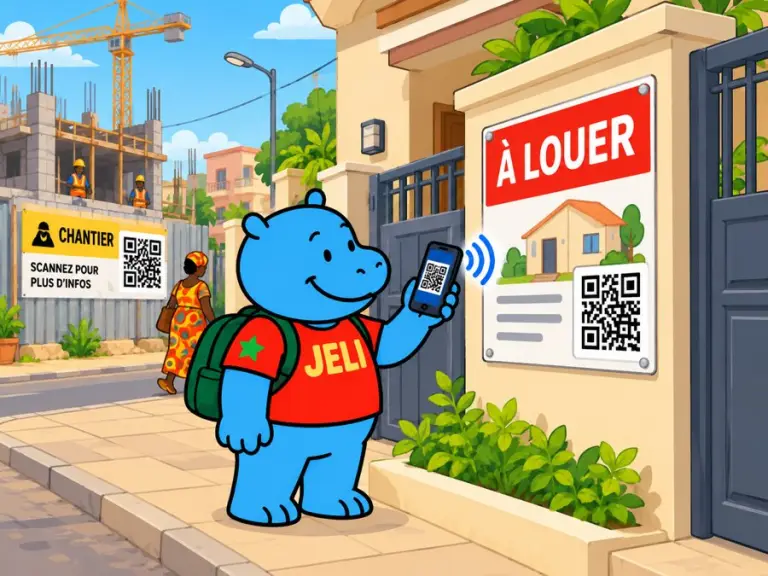
On a “for sale” or “to let” sign, a QR code opens a tour of the property in photos and on video. On a building-site sign, it presents the works to the neighbours: what is being built, for how long, and who to contact.
“To let” and a phone number, or a building-site sign full of legal notices: passers-by learn almost nothing.
Swipe to see the examples.
Photos of each room, a video tour, a floor plan, a view of the neighbourhood.
Rent or price, size, service charges, deposit, availability, documents to provide.
Schools, markets, transport, health care, a few minutes away.
What is being built, pictures of the finished project, schedule, working hours.
The site manager's number to tap and call, progress of the works in photos, upcoming disruption.
A JeliCard is shared in one move: by text message, on social media, by email, on the internet, or simply by scanning the QR code from one phone to another. Your message travels across time and distance, and reaches every audience, here and elsewhere.
These tools are excellent, and you probably use them already. Jèli does not replace them: it does a different job.
Social media and WhatsApp spread the listing. But the passer-by standing in front of the sign wants to see this exact property right now, or understand this particular building site. The QR code on the sign shows them in one move, without searching for the listing in a feed.
It's not one or the other. Put the links to your Instagram, TikTok and WhatsApp accounts in the text of your JeliCard, and share your JeliCard on your networks: each tool does what it does best.
One JeliCard per property or per building site.
The sign says “to let” or “work in progress”. The JeliCard gives the tour and explains.
Your first JeliCard is ready in a few minutes.