← Home
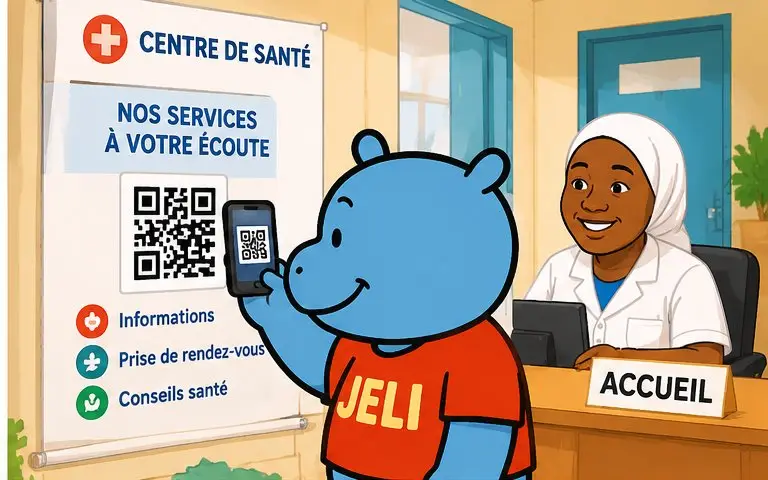
Malini scans the QR code on a poster at the reception of a health centre
Health facilities

Your health facility, clear for every patient.

Health centre, clinic, hospital, medical or dental practice, pharmacy, laboratory: a QR code at reception, in the waiting room or on the prescription opens a JeliCard that guides, prepares and reassures your patients, in their own language.

  • Health centres
  • Clinics and hospitals
  • Medical practices
  • Dental practices
  • Pharmacies
  • Medical laboratories
  • Maternity units
  • Traditional healers

1The problem: poorly informed patients

At reception and after the consultation, information is mostly given out loud, quickly, and often in a single language.

Instructions forgottenAfter treatment, the patient goes home and no longer remembers what to do.
Overwhelmed receptionThe same questions keep coming: opening hours, fees, documents, services.
Language barrierA patient who doesn't read French struggles to understand posters and instructions.
Failed preparationA test that must be done on an empty stomach, a forgotten document: the appointment has to be redone.
Informed consentTo truly consent to care, patients need to know what will be done to them, but also why, where, when and by whom. Any information about the facility, the staff, the care and how it is given helps. A well-informed patient understands, accepts and follows treatment better: it is a factor in successful care.

2A JeliCard for every moment

Swipe to see the examples.

Reception

Finding your way

Services, doctors, opening hours, on-call duty, fees, a map of the buildings, a welcome voice message.
Before

Preparing for the visit

Documents to bring, whether to fast or not, how to prepare for a test.

After

Care instructions

By voice: what to do after a tooth extraction, a dressing, a vaccination, a birth.

Prevention

Staying healthy

Oral hygiene, nutrition, vaccination, screening campaigns.

Emergency

Who to call

Emergency numbers, warning signs that mean coming back, night and weekend duty.

3What Jèli gives you

Instructions that stickAt home, the patient listens again to what was explained at the practice.
In the patient's languageThe same advice in French and in national languages.
Fewer repeated questionsReception saves time: the essentials are on the JeliCard.
Always up to dateNew opening hours, new service, new fee: you correct the JeliCard and the poster stays.
Patients kept informedPeople who opened your JeliCards in the Jèli app are notified when you edit them or publish a new one: closure, vaccination campaign, screening.
Free and ad-freeNo ads next to your health messages.

Your JeliCards travel around the world

A JeliCard is shared in one move: by text message, on social media, by email, on the internet, or simply by scanning the QR code from one phone to another. Your message travels across time and distance, and reaches every audience, here and elsewhere.

  • SMS
  • WhatsApp
  • Social media
  • Email
  • Internet
  • Scan from phone to phone

?What about Instagram, TikTok, WhatsApp?

These tools are excellent, and you probably use them already. Jèli does not replace them: it does a different job.

Instagram and TikTok The networks that help people discover you
Ideal for
showing your news in photos and videos, and reaching new audiences.
Information
lives in a feed: new posts push the old ones down.
Access
mostly needs the app and an account; the algorithm decides who sees what.
Around it
other content and ads are shown too.
WhatsApp The messaging app that gets people talking
Ideal for
everyday conversations, answering questions, running a group.
Information
lives in a conversation: messages pile up and old ones are quickly lost.
Access
means having your number or being in the group.
Around it
are all the person's other conversations.
Jèli The reference page, in the right place
Ideal for
information that must stay available, attached to an object, a poster or a place.
Information
lives on a stable page: always in the same place, always up to date.
Access
takes a simple scan, with no account and no app.
Around it
no ads and no one else's content: only your message and your other JeliCards.

Social media and WhatsApp are good for announcing a campaign or answering a message. But care instructions must stay available, approved and easy to find: with Jèli, the patient scans their sheet and listens again to exactly what to do, without searching through a feed or a conversation.

It's not one or the other. Put the links to your Instagram, TikTok and WhatsApp accounts in the text of your JeliCard, and share your JeliCard on your networks: each tool does what it does best.

4How to do it

Start with the instructions you repeat most often.

  1. List the most frequent questions and instructions.
  2. Write short, simple messages.
  3. Have the medical content approved by the facility's practitioners.
  4. Record the voice messages in French and in national languages.
  5. Create a JeliCard for reception, then one for each type of care.
  6. Print the QR codes at reception, in the waiting room, on prescriptions and instruction sheets.
  7. Update opening hours, duty rotas and campaigns.

5Obstacles, and how to get past them

Not everyone has a smartphoneA relative, a seller or a community relay can scan and play it for them. The printed material still makes sense on its own.
Costly data, weak networkShort voice messages, light images, no app to download: the JeliCard opens fast, even with little data.
Few people know QR codesAdd the words “Scan to listen” and show the gesture once: after that, everyone knows how.
Medical accuracyAll content is approved by the facility's practitioners before it is published.
ConfidentialityAny JeliCard can be read by anyone with the link: no personal or medical patient data, only general information.
Patients must not treat themselves aloneWrite on each JeliCard that it does not replace a consultation, with the number to call.

Our tips

  • Hand out the instruction sheet with its QR code at the end of each treatment.
  • Have a member of the team record the voice messages: patients recognise their voice.
  • Remind people that the JeliCard does not replace a consultation: if in doubt, the patient calls or comes back.
  • Never publish a patient's personal or medical data.
  • Don't forget your business card: your name and a QR code that leads to all your activities.
Care happens at the practice. The JeliCard goes home with the patient, in their language.
Back to the home page

Make your QR codes talk.

Your first JeliCard is ready in a few minutes.

App Store Google Play